Lift log & training program for iPhone

Log every lift. Follow the plan.

Answer a few questions and get a multi-week program built around your goal. Every session tells you what to lift, how many reps to aim for and how hard to push — and your feedback shapes next week.

Free to start · Pro subscription for Guided training
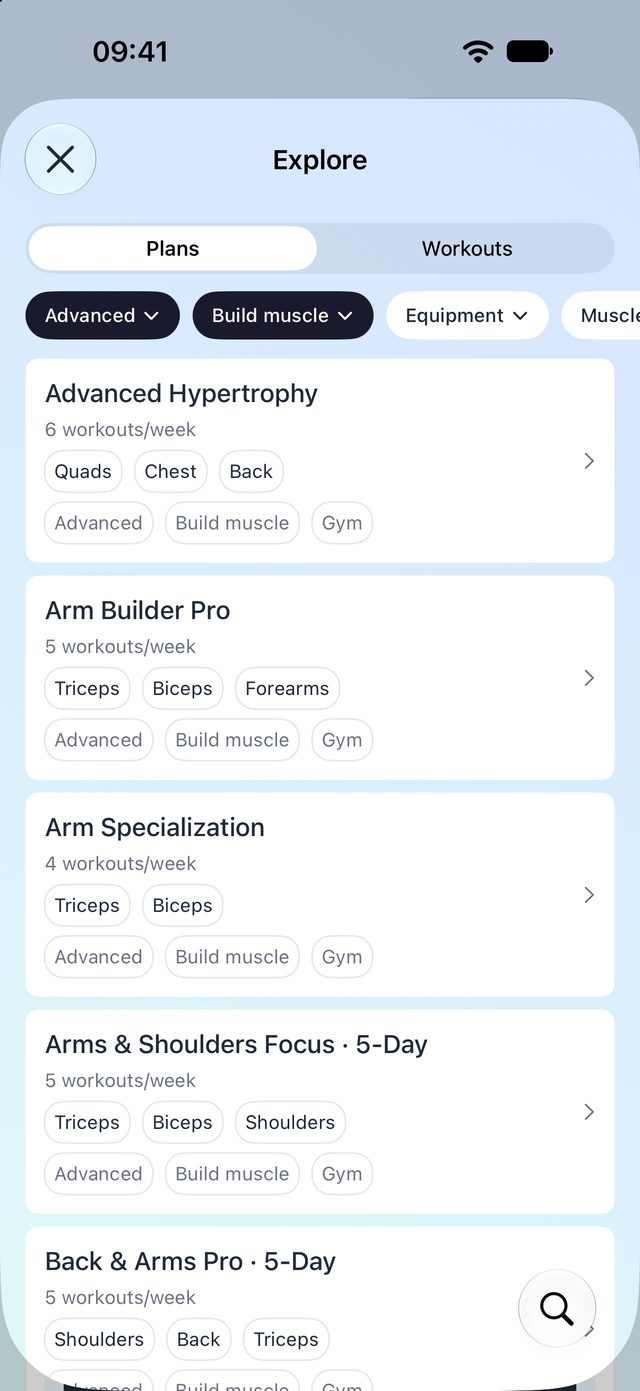
Explore screen with ready-made training plans
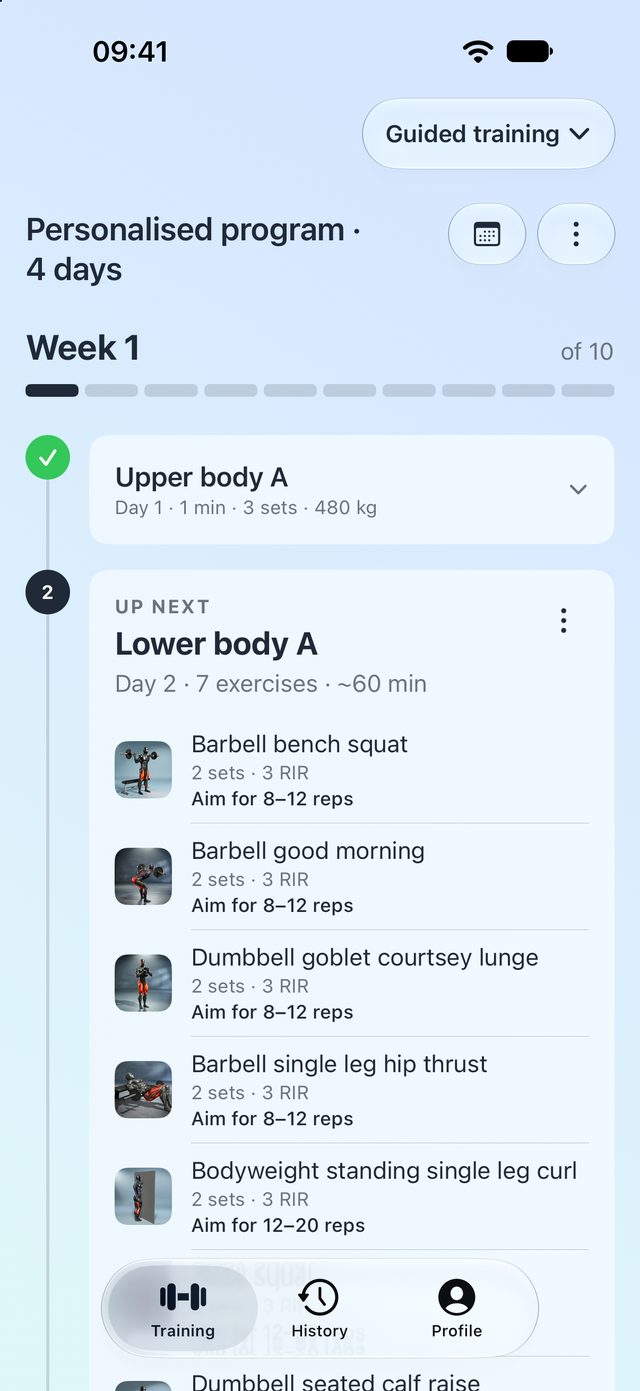
LiftSmart Guided training home showing the current program week
Training history calendar with worked muscles
How it works

Less guessing.More progress.

A program that adapts to you, a log that fills itself while you train, and 300 exercises you can actually learn from.

01 / Guided training

A program built for you.Adjusted every week.

Tell LiftSmart your goal, schedule, equipment and the muscles you want to focus on. It builds a multi-week program — or you start from one of 138 ready-made plans.

  • Weekly progression: targets move as you get stronger
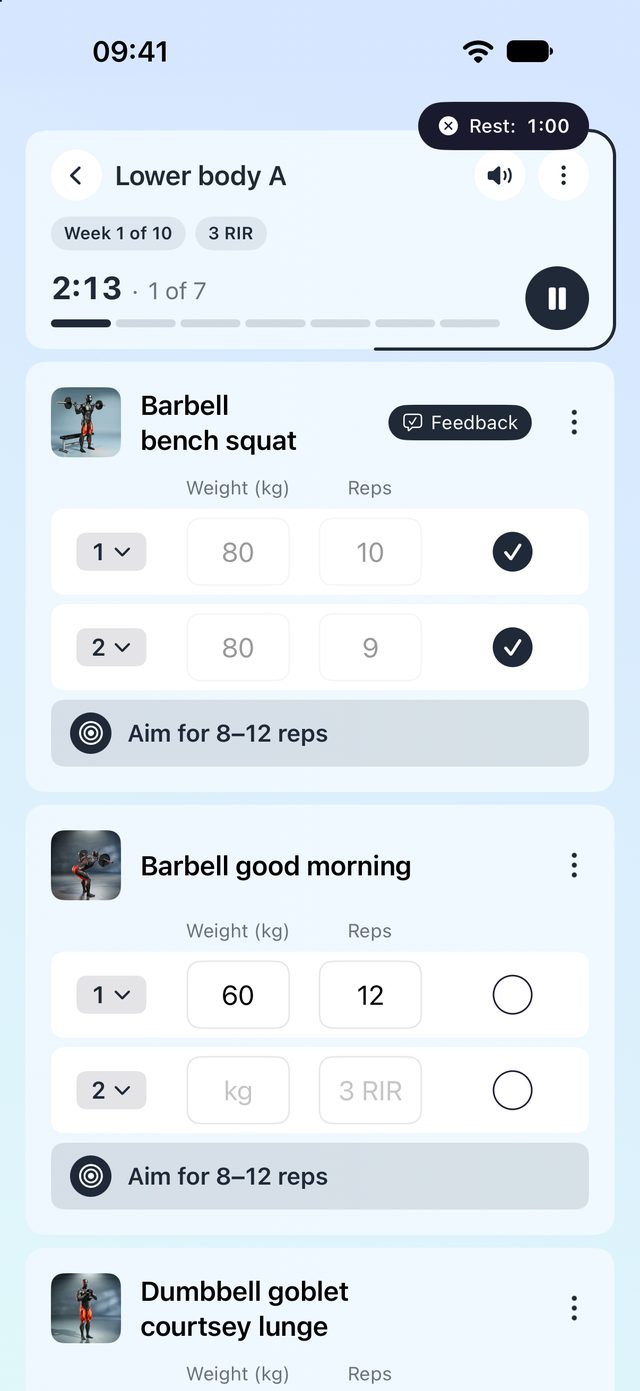
  • Weekly effort (RIR) targets so you know how hard to push
  • Feedback after each exercise shapes next week's session
  • Deloads scheduled when you need them
A guided session with prescribed sets, reps and effort targets
02 / Explore

138 plans. 81 workouts.Filtered to fit you.

Browse multi-week plans and standalone workouts by level, goal and equipment. Save the ones you like into folders and start them any day.

  • Multi-week plans for muscle, strength and fat loss
  • Standalone workouts for days without a program
  • Folders to keep your favourites in order
Explore screen listing training plans with level and goal filters
03 / Learn every exercise

300 exercises.Each one explained.

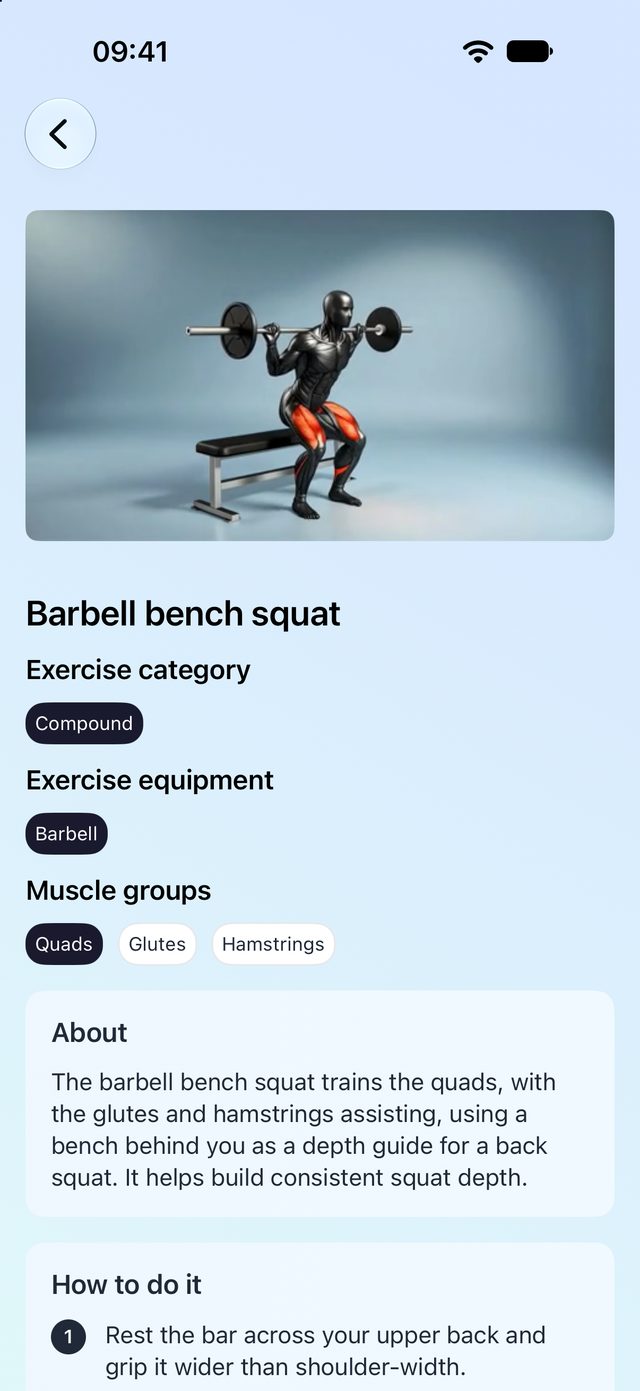
A video demonstration, worked-muscle map and equipment for every movement — plus About, How to do it and Tips, so you never search mid-set.

  • Video on all 300 exercises
  • About, How to do it and Tips
  • Search and filter by muscle group
Exercise details with video, muscles worked and step-by-step guidance
04 / Your log

Every rep, remembered.Free forever.

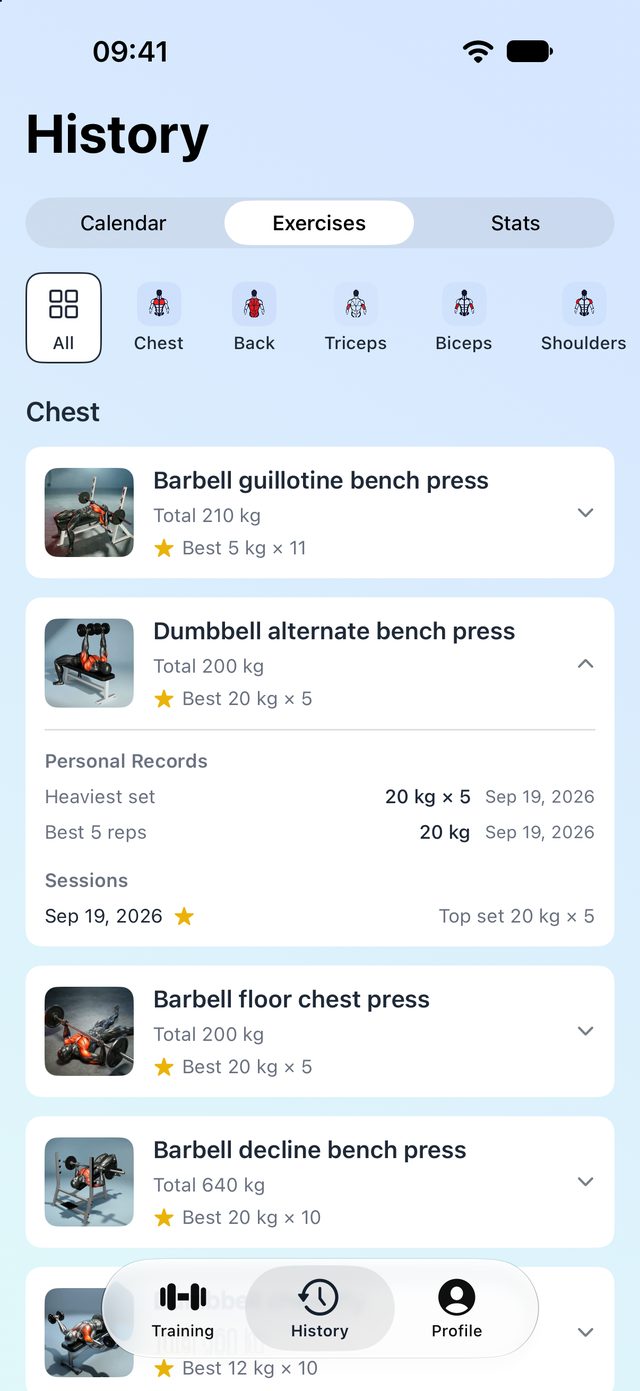
Whatever you train — a guided session, a plan or a quick workout — it lands in one history. Personal records are detected automatically.

  • Calendar of every session with weekly totals
  • Weekly volume by muscle group
  • Personal records at every rep range
  • Rest timers with Live Activities on your Lock Screen
History calendar with weekly totals and a worked-muscles map
Free vs Pro

Start free.Go Pro when you want a program.

The log is free for good. LiftSmart Pro unlocks Guided training and unlimited saved workouts, monthly or yearly.

01

Quick workouts

Pick exercises and lift — no program required. Rest timers, set logging and a summary at the end.

02

Unlimited logging & history

Every set you log, kept for good: calendar, per-exercise history, volume by muscle group.

03

Personal records

Detected automatically the moment you beat one, at every rep count.

04

300 exercises with video

The whole library with guidance is free, including search and muscle filters.

05

Four saved workouts

Save up to four workouts free. Pro removes the limit.

06

LiftSmart Pro

Guided training — personalised programs and every multi-week plan — plus unlimited saved workouts.

EnglishDeutschEspañolFrançais日本語Português (Brasil)
Good questions

Before you start.A little clarity.

How is LiftSmart different from a workout tracker?

A tracker records what you did. LiftSmart also decides what you do next: it builds the program, sets weekly targets and adjusts them from your feedback. The tracker part is included and free.

Do I need experience to use it?

No. The questionnaire asks your level, and beginner plans start light and progress gradually. Every exercise has a video and step-by-step guidance.

Do I have to follow a program?

No. Quick workouts let you pick exercises and lift with no program at all, and everything still lands in your history.

What does Pro cost, and what is free?

Logging, history, personal records, the exercise library and up to four saved workouts are free forever. LiftSmart Pro unlocks Guided training and unlimited saved workouts. Prices are shown in the app in your local currency, monthly or yearly.

Do I need an account?

No. You can start as a guest. Sign in with Apple or Google keeps your data safe if you switch phones or reinstall.

Which devices does it support?

iPhone running iOS 26 or later. Rest timers show as Live Activities on the Lock Screen and in the Dynamic Island.

Is my data sold or used for ads?

No. There are no ads, no data sales and no tracking across other apps. Details are in the Privacy Policy.

Your next session starts here

Just lift.

Your goal. Your program. Your log.

Download on theApp Store

Made for iPhone · iOS 26 or later · Free to start, Pro subscription for Guided training